Gamebookers Deposit Data: Tested Methods, Steps & Common Issues
We have carried out a Gamebookers deposit test, using real money and a Visa debit card to robustly analyse the deposit process from start to finish, whilst also assessing what potential issues you might face.
To conduct this test, we registered a brand new Gamebookers account and deposited £10 of our own money; that is twice the minimum required deposit of £5.
 Gamebookers Payment Methods


Gamebookers Deposit Methods Compared
You have got a decent range of casino payment methods available at Gamebookers, without the options being exhaustive. You have options like Pay by Bank, Apple Pay, Skrill, PayPal and, last but not least, the trusted debit card.
Each of these methods come with a £5 minimum deposit, with PayPal being the exception. That requires a £10 minimum deposit to be made.
Our Gamebookers deposit test used a debit card, specifically a Visa, albeit Mastercard and Maestro are both accepted too, with £10 our chosen deposit value.
| Payment Methods | Min Deposit | Max Deposit | Fees | Deposit Time | Triggers Bonus |
|---|---|---|---|---|---|
 Visa | £5 | £2,000 | No fee | Instant | |
 Mastercard | £5 | £2,000 | No fee | Instant | |
 PayPal | £10 | £2,000 | No fee | Instant | |
 Skrill | £5 | £2,000 | No fee | Instant | |
 Neteller | £5 | £2,000 | No fee | Instant | |
 PaysafeCard | £5 | £750 | No fee | Instant |
Our Real Money Deposit Test with Visa

Gamebookers scored a tidy 3.43 out of 5.00 in our Casinolyze in-depth review, with "solid payment methods" being one of the positive takeaways.
As part of our review, we tested the deposit process using real money and a genuine player account. The process was smooth and straightforward, and you can follow each step in the guide below.
Gamebookers Deposit Process
After registering for a Gamebookers account, you will need to complete your first deposit on the platform. Doing so is simple; just follow our step-by-step Gamebookers deposit process:
-
Hit "Deposit"
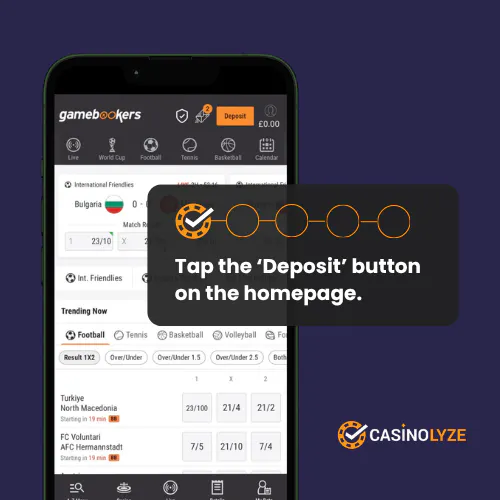
Ensuring you are logged into your account, head to the site header and click on the orange "Deposit" button.
-
Choose Your Payment Method

You will be presented with a list of available payment options, simply click on your preferred method.
-
Enter Your Payment Details
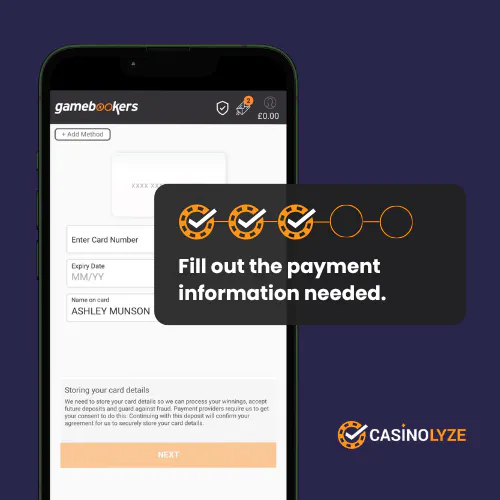
Now, you will need to provide your relevant payment details. When done, click on the "Next" button.
-
Choose Your Deposit Amount
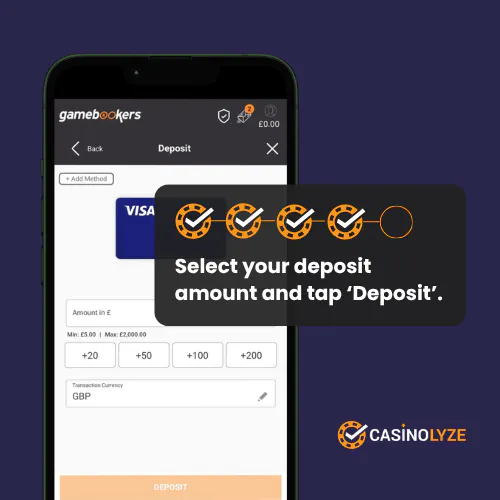
Key your desired deposit amount into the "Amount in £" box, or use one of the quick-reference buttons beneath.
Click "Deposit" when done.
-
Deposit Success
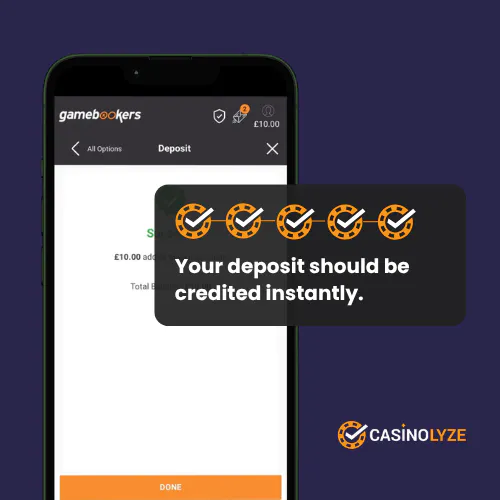
You will now see a screen confirming that your deposit has been successful.
If you want to know how to withdraw winnings from Gamebookers, we have tested this with real money and tracked the key steps needed for a smooth withdrawal experience.
Gamebookers Deposit Issues
We did not experience any problems when conducting our Gamebookers deposit process. Issues do happen, though. We have highlighted the more common challenges that can crop up below:
-
Lost Deposits
When you suffer a lost deposit, it is simply a case of the funds leaving your bank account and never reaching the casino. It's annoying but quickly identifiable, in part because of the instant deposit processing Gamebookers offers.
If you notice your funds have not been credited to your account, reach out to the Gamebookers customer support function. They'll refund your lost deposit in around 24 hours.
-
Rejected Payments
A rejected payment can be triggered by your payment method e.g. your bank or the casino itself, with the reason being critical.
From a banks perspective, they could reject payments where you have insufficient funds in your account. The solution to this is to add more funds - or to use an alternative payment method.
The other common rejection reason is where a deposit limit has been breached. Gamebookers, in this instance, should be blocking your deposit. Your fix involves increasing your payment limits, but keep in mind this is unlikely to be an instant fix. A lot responsible gaming tools have a 24-hour rule built into them.


Ash is a seasoned writer specialising in the UK's online gambling market. With a background in data analytics and hands-on knowledge of the gambling industry, he offers practical insights into online casinos in the UK.