Hyper Casino Deposit Data: Tested Methods, Steps & Common Issues
Hyper Casino offers instant deposits with a £5 minimum via multiple payment methods, including debit cards, mobile payment options, e-wallets, and instant banking. We tested the process ourselves and tracked limits, fees, and bonus eligibility for each method. Below, you’ll find the key details, a step-by-step guide, and common issues to be aware of.
 Hyper Casino Payment Methods


Hyper Casino Deposit Methods Compared
Here you can find all Hyper Casino payment methods in one list. We’ve included the minimum deposit (which is £5 for all methods) and whether each payment method is eligible for Hyper Casino's welcome bonus.
Hyper Casino does not charge any fees on deposits.


We have collected Hyper Casino withdrawal times and tested them first-hand. It’s worth noting that deposits and withdrawals should be made using the same payment method, as this is a standard requirement across online casinos for security and verification purposes and helps ensure smoother payouts.
Hyper Casino Deposit Process
Here’s how the deposit process works, step by step. We completed this guide using a Visa debit card, but the process is largely the same for all payment methods. Only the confirmation step and the required details may vary.
-
Find the Deposit Button at Hyper Casino
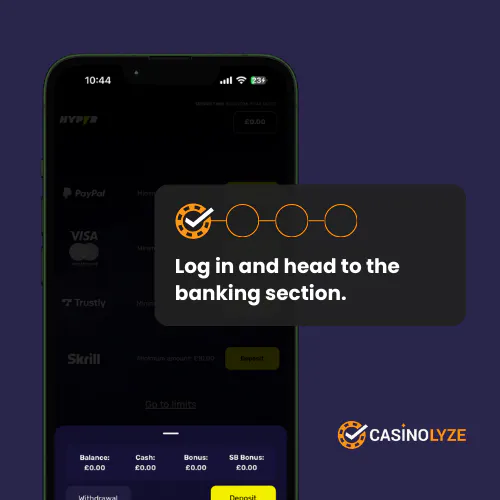
Start by registering or logging into your Hyper Casino account, then find the deposit button that is visible in the lower corner. Click it to access the banking section.
-
Make a Deposit & Confirm
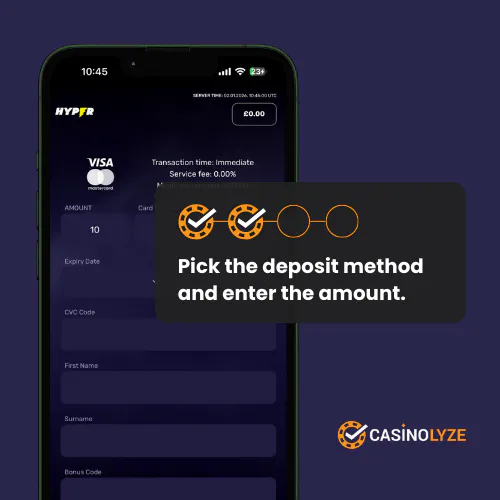
Choose the payment method you want to use (see our deposit method guide for more details) and enter a minimum of £5. Once you’ve filled in the required details, confirm the deposit.
-
Your Hyper Casino Deposit Is Credited
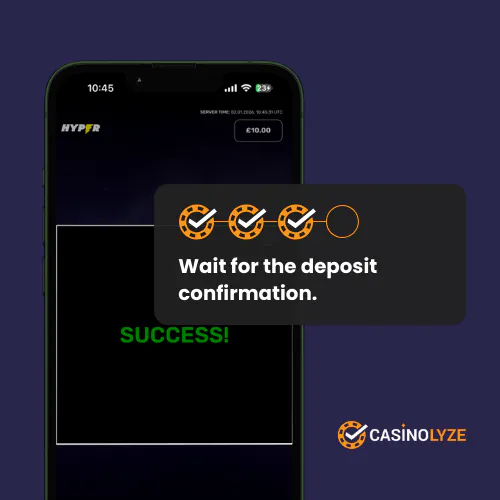
Wait for a green “Success” message, which should appear immediately after you confirm the deposit. Once confirmed, you can double-check your balance to see that the funds have been credited to your account.
-
Check Your Cash Balance

As mentioned, the deposit should be credited instantly and will appear in your balance under Cash. If you claim a bonus with your deposit, the bonus funds will be shown separately below.
Hyper Casino Deposit Offers
Below are the current welcome offers available with a first deposit at Hyper Casino.
| Operator | Welcome Offer | Bonus Code | Get Bonus | |
|---|---|---|---|---|
 | Casino Offer Deposit and Wager £10 for 50 Cash Spins | No code required | Get Bonus | New players only | Deposit & wager at least £10 to get free spins | Free Spins winnings are cash | No max cash out | Eligibility is restricted for suspected abuse | Skrill deposits excluded | Free Spins value £0.20 per spin | Free Spins expire in 48 hours | |
Hyper Casino Deposit Issues
If you encounter a deposit issue at Hyper Casino, the sections below explain the most common causes and how to resolve them. These issues can occur at any online casino.
-
Deposit Error
A deposit error usually means the transaction didn’t go through. This can be caused by temporary technical issues, bank restrictions, or incorrect payment details.
The best approach is to double-check your payment account balance, look for any specific error messages, or wait a moment before trying again. If that doesn’t help, it’s always a good idea to contact customer support so they can check whether anything on your account is causing the error.
-
Missing Deposit
A missing deposit usually means the payment is still being processed by your bank or payment provider. In most cases, the funds appear within a short time or are automatically returned. If the deposit hasn’t shown up after 24 hours, contact customer support with your payment details for assistance.
More About Hyper Casino
Read Hyper Casino Review


Ben is a football journalist writing for outlets such as SempreMilan. A keen punter, he tests online gambling sites himself. His insights come from real experience and are firmly on the side of users.