QuickBet Deposit Data: Tested Methods, Steps & Common Issues
We have carried out at QuickBet deposit test, funding our account with £5 and using a Visa debit card to do so.
As we progress through this article, we will cover the QuickBet deposit process in detail, look at the available payment methods and discuss some common deposit problems.


QuickBet Deposit Methods Compared
There are a host of payment methods available to use at QuickBet. Apple Pay, Pay by Bank, PayPal and Skrill are all offered alongside Mastercard and Visa debit cards as the most widely used methods.
We've used the latter of those methods for our deposit test, depositing £5 to our account. This is the site's minimum deposit across all payment methods.
| Payment Methods | Min Deposit | Max Deposit | Fees | Deposit Time | Triggers Bonus |
|---|---|---|---|---|---|
 Visa | £5 | £2,500 | No fee | Instant | |
 Mastercard | £5 | £2,500 | No fee | Instant | |
 Apple Pay | £5 | £2,500 | No fee | Instant | |
 PayPal | £5 | £2,500 | No fee | Instant | |
 Instant Bank Transfer | £5 | £2,500 | No fee | Instant | |
 Skrill | £5 | £2,500 | No fee | Instant |
Our Real Money Deposit Test with Visa

Scoring 3.30 out of 5.00 in our in-depth QuickBet review is solid, especially with the brand a new name on the scene. The strong game library and varied payment methods are flagged as particular highlights.
The deposit process, design and steps are very similar to other L&L Europe online casinos we have tested, but QuickBet offers a lower minimum deposit.
QuickBet Deposit Process
Depositing funds at QuickBet is easy; you can do so by following our step-by-step deposit guide below:
-
Click on the Card Icon
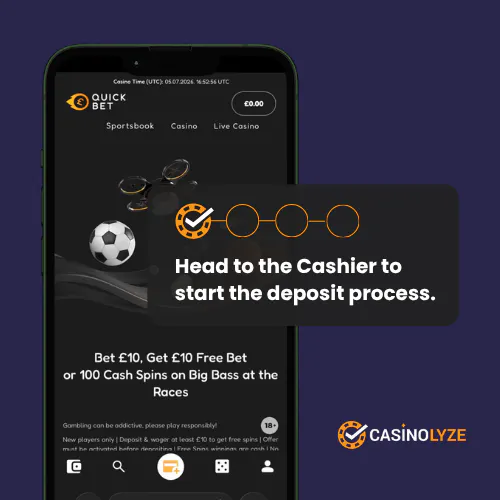
Assuming you are logged into your QuickBet account, click on the orange credit card icon located centrally in the bottom ribbon.
-
Choose Your Payment Method
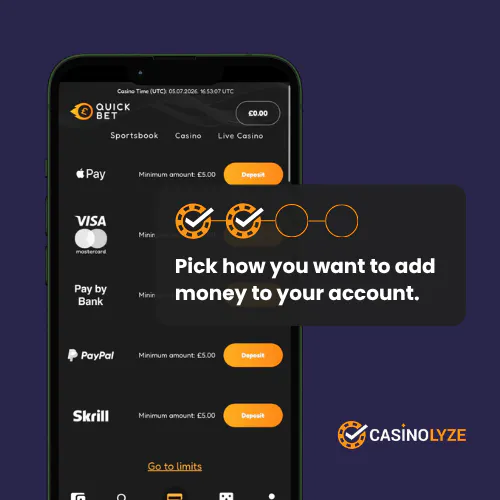
From the list of payment options listed, choose your preferred deposit method by clicking on the "Deposit" button that correlates.
Please note that the deposit method you choose will most likely be the one you'll need to use for withdrawals. See our QuickBet withdrawal guide for more information.
-
Enter Your Payment Details & Amount
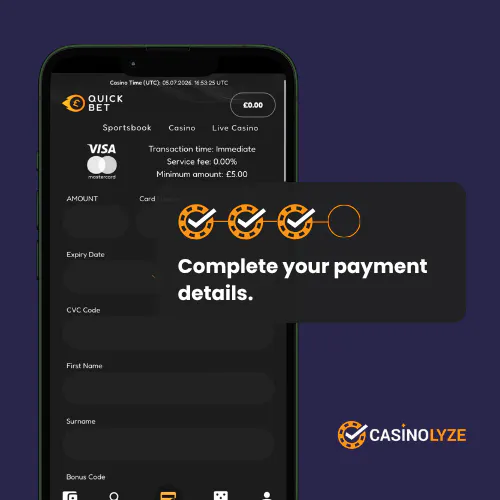
Declare your deposit amount and payment information, using the intuitive form to do so.
Scroll down the page to finalise these details and, when done, click on the orange "Deposit" button.
-
Success!
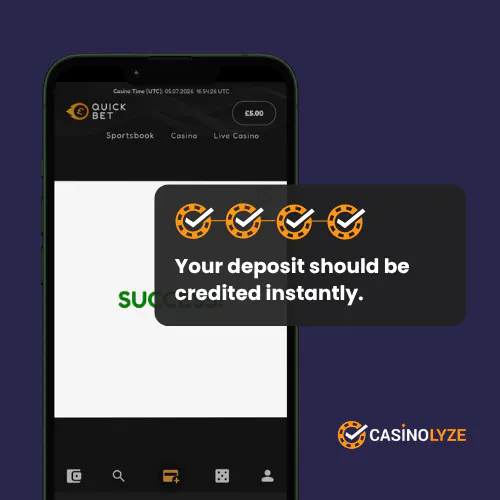
A simple white screen will appear, declaring your deposit has been a "Success".
QuickBet Deposit Offers
New depositing players at QuickBet may be eligible for a welcome offer. As part of our review, we checked the bonus details and qualifying requirements. See the current offer below:
| Operator | Welcome Offer | Bonus Code | Get Bonus | |
|---|---|---|---|---|
 | Casino Offer Bet £10 Get 100 Cash Spins on Big Bass at the Races | No code required | Get Bonus | New players only | Deposit & wager at least £10 to get free spins | Offer must be activated before depositing | Free Spins winnings are cash | No max cash out | Eligibility is restricted for suspected abuse | Skrill deposits excluded | Free Spins value £0.10 per spin | Free Spins expire in 48 hours | Free bet offer: Minimum odds: 2.0 | Free bet value will be deducted from free bet winnings | T&C's Apply |
QuickBet Deposit Issues
When we completed our QuickBet deposit test, we did not hit any barriers. Not all deposits are smooth sailing, though.
Below, we've detailed some common problems so you are equipped to handle whatever comes your way.
-
Lost Deposits
A lost deposit sees funds leaving your bank account, but never arriving with your chosen casino. It is one of the more frustrating experiences you can when playing online casino games.
It is easily solved though, so take a breath and don't stress. Instead, navigate through your payment operator and capture evidence of the deposit leaving your bank. This can include screenshots and establishing transaction references.
When you have that information, contact the QuickBet customer service team. They'll be able to confirm a lost deposit has occurred and, on doing so, will issue a refund for your deposit amount.
-
Rejected Payments
Rejected payments are effectively deposits that are blocked from leaving your account, and they can be blocked by the casino and your bank.
In the case of the latter, it will be down to having a lack of funds against your chosen payment method. You can either add more funds to the method or change it altogether. It really is that black and white.
Where a casino issues a block, this is slightly different. It will be down to an issue with the responsible gambling tools you have setup on your account. These can be frequency and value based.
Whilst you do own the right to change these rules, changes usually take 24 hours to come into effect and, remember, there is likely a reason you established the rule in the first place too.


Ash is a seasoned writer specialising in the UK's online gambling market. With a background in data analytics and hands-on knowledge of the gambling industry, he offers practical insights into online casinos in the UK.